

Izem Attendance Pro
Izem Attendance Pro is a licensed based + subscription-based cloud software which come with facial recognition time attendance device. It also allows the employee to use self-service login to check in & out time attendance based on company’s settings. The system is feature-rich, intuitive with customizable shifts that as per your business operation. The Izem Attendance Pro management platform provides various types of reports.
We have spent more time in perfecting the attendance process. Our platform designed to be exceedingly usable, while also being robust and feature-filled which enabling you to handle the complexities that come with managing a employees’ attendance.

Attendance Pro System Modules & Features
e-Attendance
Our e-Attendance setting is user-definable, give flexibility for employers to set up the working shiftsaccording to their company’s operating hours further defined with working days and overtime rule for calculation.
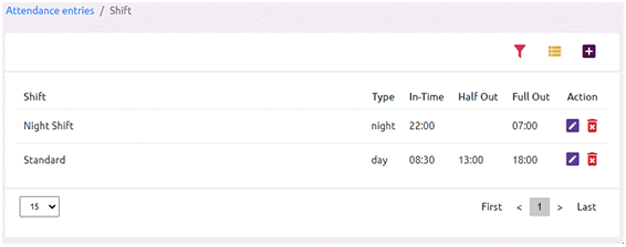
Image Attendance 1
Using facial time attendance device(s), the system will auto download the attendance into our system and with automated system the attendance is calculate as per shift setting.
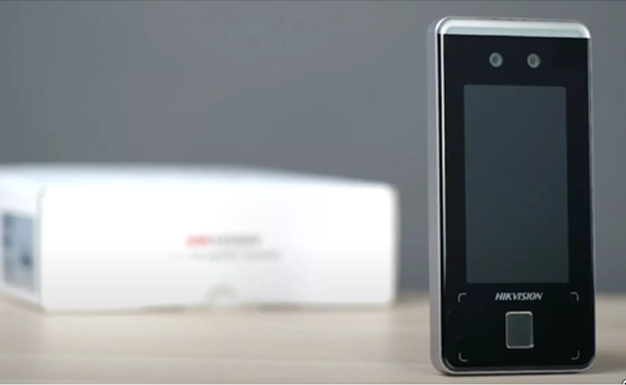
Image Attendance Pro 1
We also provide manual time attendance upload into our system using excel worksheet. These features enable you to continue using your existing electronic time attendance devices.
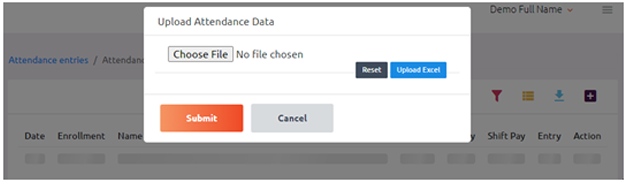
Image Attendance 5
Employee Self-Service
We provide employee self-service via the Member Login module which saves administrators from being plagued with the time attendance card/time sheet. The employee can check in & out their time attendance and system track their geolocation range.
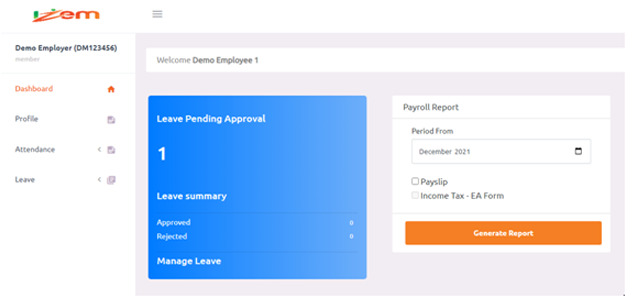
Image Attendance 2
Reports
There are various types of pre-build reports which is downloadable into an PDF for your reporting and analytics.
You can use the advance reporting which is downloadable into an Excel format gives the freedom to further customize as per your needs via Pay Per Use Credit or one time license activation fee.
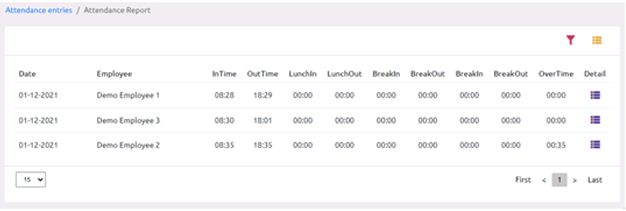
Image Attendance 3
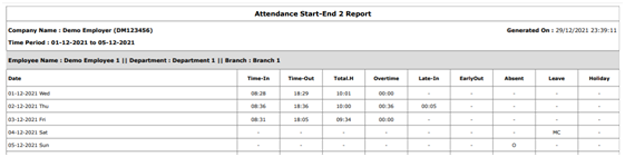
Image Attendance 3
Users & Security
Security; this feature allows you to secure every object and report in the application. Each object and report can be restricted to Admin, Update or View access through user-defined security areas.
- Create user groups and assign security access for all defined users.
- Define access levels for each screen as View, Update or Admin.
- Create security areas defined by screens and/or reports. Customise groups and users assigned to those security areas for the given access level.